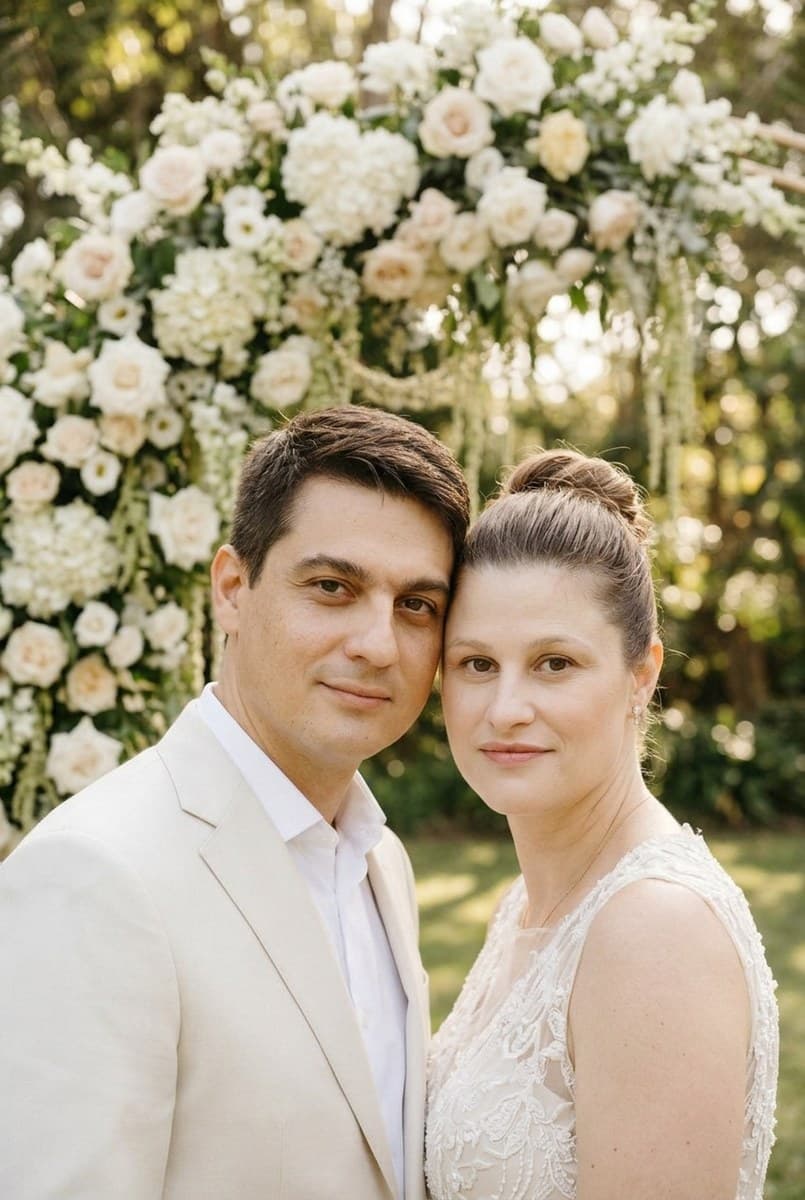
AI-edited example · Nano Banana 2.1 · Garden ceremony
01 · Pick your photo
Choose a photo of both people with visible faces and shoulders. Describe each person's preferred outfit explicitly; the presets do not assign gendered roles.
02 · Choose a style
Select a preset, then edit its prompt to describe your preferred setting and clothing. You can change the model and output size.
03 · Generate and review
Sign in, check the cost estimate and generate. Compare faces and details with your original, then download the result you want to keep.
Make it yours
Upload a photo you have permission to edit. AI can change likeness and fine details; review the result before sharing.
Result
Fill in the form and press Run. The result and the raw JSON appear here.
▸ Code for this request
curl https://api.tokport.io/v1/images/edits \
  -H "Authorization: Bearer $TOKPORT_API_KEY" \
  -H "Content-Type: application/json" \
  -d '{"model":"nano-banana-2-1","prompt":"Edit the uploaded photo. Keep every person's facial identity, age, skin tone, body proportions and expression recognizable. Keep the same people; do not add or remove anyone. Keep hands anatomically natural. Create a wedding-inspired portrait in a garden with an ivory floral arch and soft morning light. Dress both people in elegant ivory or neutral formalwear, keeping their original pose. Refined realistic photography, no text.","size":"1024x1536","n":1,"response_format":"url"}'
Describe the cut, fabric and color for each person in the prompt. The result is a visual concept, not an accurate fitting or a guarantee of how a real garment will look.
Does this replace a wedding photographer?
It makes AI-edited concepts from an existing photo. It does not document a real ceremony or recover moments that were never photographed.
How do I avoid strange bouquets or hands?
Choose a source with visible hands and keep its pose. Remove the bouquet instruction if it conflicts with the pose, and inspect fingers, rings and fabric edges after generation.